
Central IT Services provides the UNIL community with an institutional version of Microsoft 365 Copilot Chat, activated under the CASA-EES contract and covered by enterprise data protection. It is currently the only generative language model made available to the entire UNIL community because the negotiated contractual terms meet legal compliance requirements and UNIL security standards. Other solutions could be considered in the future, provided they meet similar conditions and appear on the list established by the DPO.
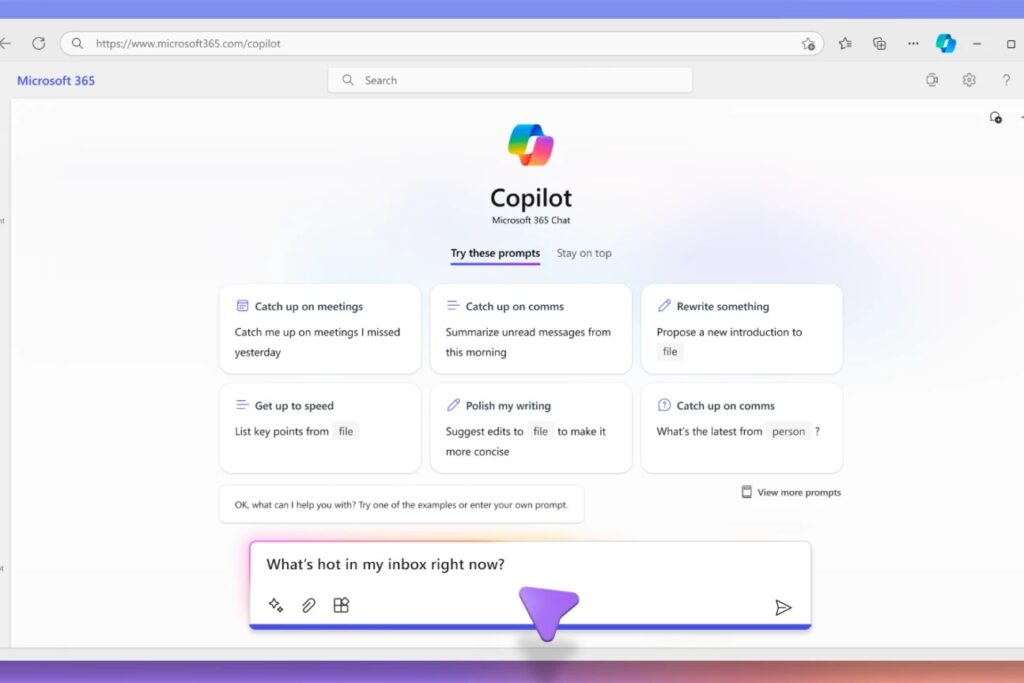
What You Can Do with Microsoft 365 Copilot Chat
Microsoft 365 Copilot Chat, like other Microsoft 365 tools deployed at UNIL (OneDrive, Teams, Outlook), has been validated for temporary use as part of the collaborative tools made available. It can therefore be used to process private documents or content subject to official secrecy, under the same contractual security conditions.
⚠️ Warning: the Copilot Chat interface does not have a button to enable or disable web search. Depending on the wording of your request (e.g., “find me the latest work by…” or “what is the news on…”), Copilot may automatically trigger a search via Bing, resulting in data transmission outside the protected environment. Avoid any request likely to trigger an online search when working with private documents or those subject to official secrecy (see the “Use the UNIL agent 📘 [Secure]” section below).
Use the UNIL 📘 [Sécurisé] agent
To avoid any risk of accidental external search, a dedicated UNIL 📘 [Secure] agent is available in Copilot Chat. This agent has been configured so that web search (Bing) is disabled by default, ensuring that your data remains within the protected Microsoft 365 environment. It is recommended to prioritize this agent for processing private documents or content subject to official secrecy.
Choosing the model: quick answer or reasoning
At the top of the conversation, a button shows the model in use. It offers Auto, Quick response, Think deeper, and an entry subtitled OpenAI that opens the list of that provider’s models. The selector also works inside the UNIL 📘 [Sécurisé] agent.
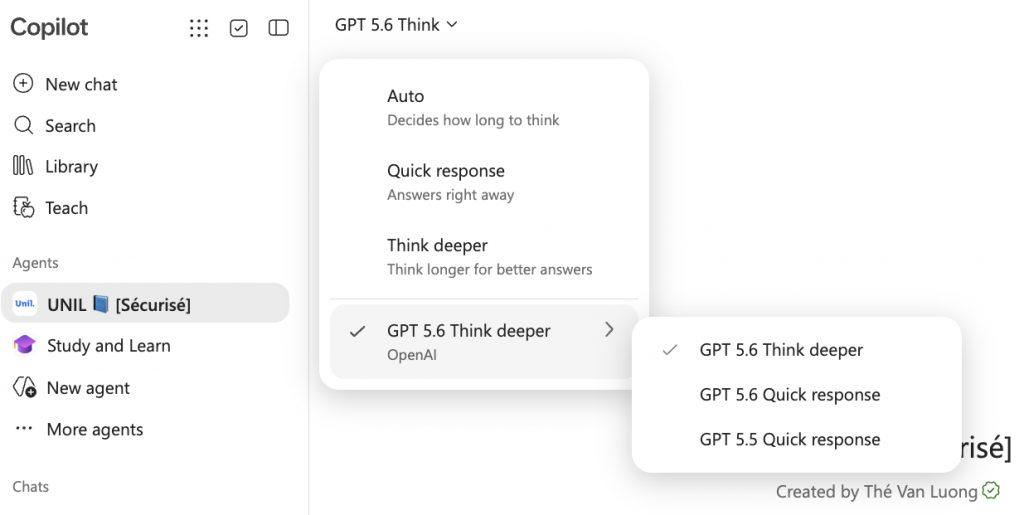
Many people stay on the default setting and find the answers disappointing. On a task that calls for several steps of reasoning, switching to Think deeper changes a great deal. For a short question or a rewrite, the quick answer will do.
Choosing an OpenAI model does not take you out of Copilot. These really are OpenAI models, but they run inside the Microsoft service, under UNIL’s contract: you change the model, not the processing framework. Since July 2026, some of these requests are run not by Microsoft but by OpenAI, to which Copilot sends them through a programming interface (API), as a subprocessor and under the same contract. This is not OpenAI’s consumer conversational service (ChatGPT): no account is created there, and your exchanges stay within UNIL’s Microsoft 365 environment.
Sources: Overview of Microsoft Copilot Chat and OpenAI as a subprocessor in Microsoft Online Services. As of 16 September 2026, the contents of the selector change without notice.
Sensitive Data: Do Not Enter
Certain sensitive data under Swiss law, such as medical records, identifying health information or confidential HR data, must not be entered into Microsoft Copilot. Processing them requires systems specifically approved by UNIL, such as local models deployed on Central IT infrastructure or on personal computers (see article), with no recourse to cloud services.
In practice
- Data is processed within Microsoft’s EU Data Boundary, which covers the European Union and EFTA, of which Switzerland is a member. The contractual safeguards meet the requirements of Swiss data protection law.
- Your prompts and the responses are not used to train the models.
- Permitted uses in teaching and research are defined by the guidelines of your faculty or school. Please ensure strict compliance with these directives.
How to access it?
- Go to copilot.cloud.microsoft.
- Log in with your UNIL credentials. It is the account, and not the address alone, that turns the protection on.
- Check for the green shield at the top of the window: it indicates that enterprise data protection applies to the conversation. It stays visible when you change model.