|
|

|
|
|
|
|
|
|
Facility News
|
As you can see below, the FCF is now fully established in the new building ! We're ready for you on the second floor of the SE-C building !
|
|

|

|

|

|

|
|
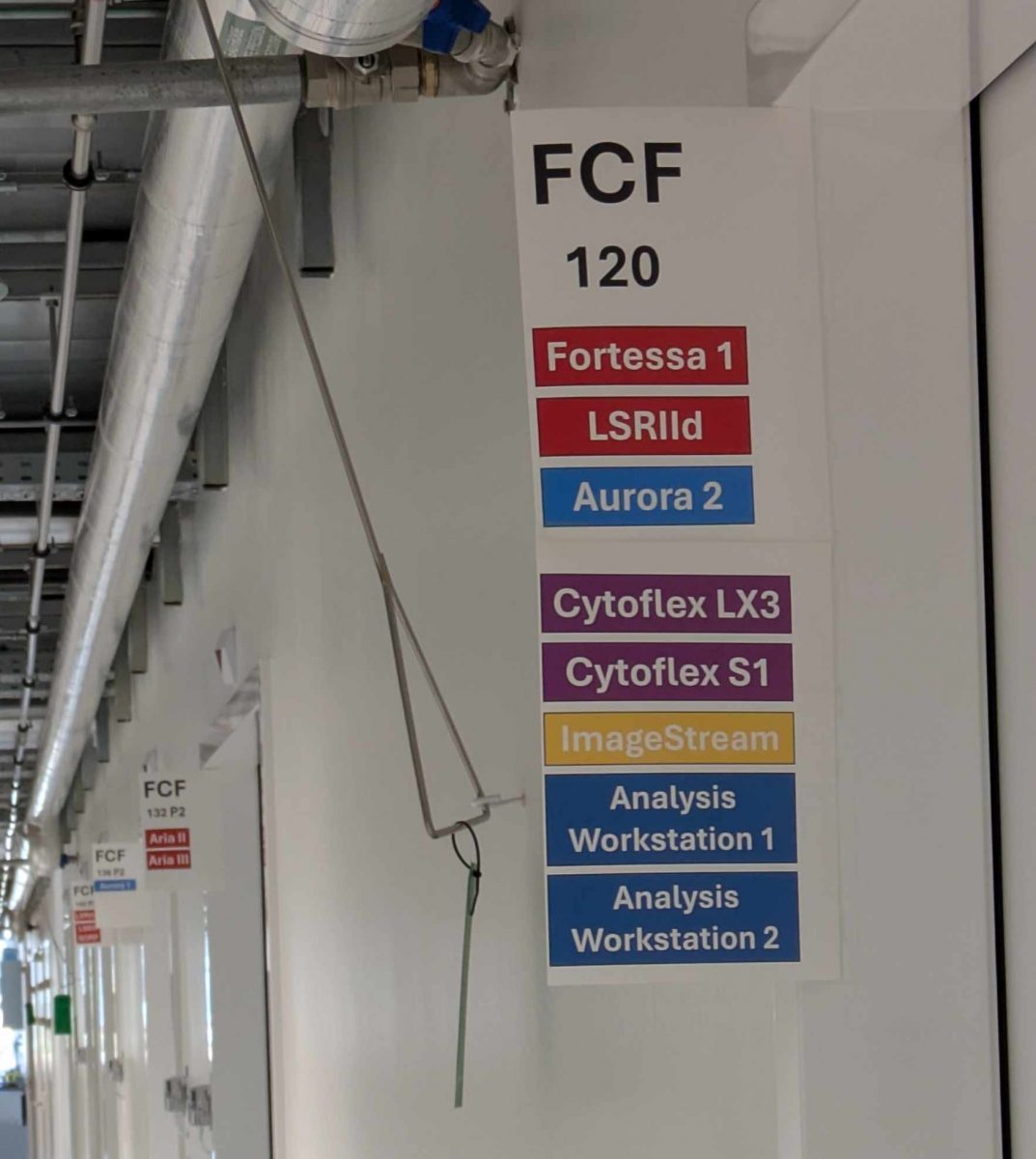
It can be quite a maze when you arrive into a new building but we got you and set up some signs to help you find your favorite machines. Simply follow the rainbow of colors in the hallway and you'll be sure to get to your destination !
|
|
|
Nessie Costes won the mug this month, Congratulations to you !
|
Each month, we will ask you 3 questions about the newsletter topic. If you win, you can enter the lottery to win a unique mug designed by the FCF team !
Please take few minutes to answer the quiz HERE.
|
|

|
|
|
FACS Tips
|
Old Machine, New Tricks: Autofluorescence on the CytoFLEX
|
|
|
|
When we think of autofluorescence subtraction, usually our first thoughts go to the Cytek Aurora, which popularized this as a desirable feature. We’ve written a lot about autofluorescence in the past, as correctly managing how it appears in our samples can deeply affect the resolution of our data.
|
|
|
|
|
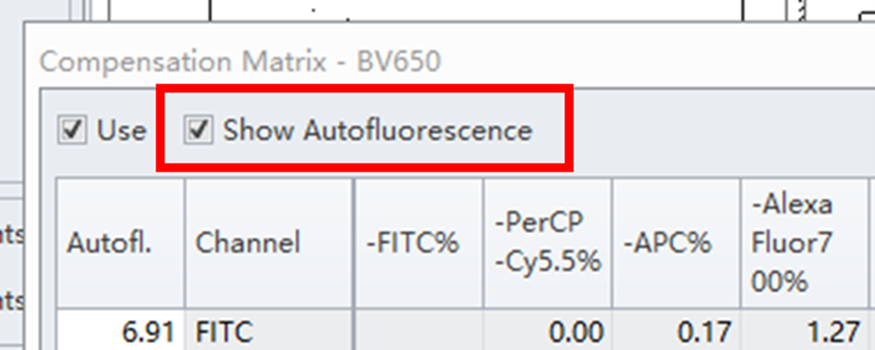
What’s less widely known is that the CytoFLEX also has an autofluorescence tool. If you’ve looked closely while building a compensation matrix, you may have noticed a “Show Autofluorescence” check box. But what is this feature and what does it actually do with regards to the autofluorescence. The feature is so underplayed that across the 592-page CytoFLEX manual, the word “autofluorescence” appears only five times, and even then, the feature description is limited.
|
I reached out to Beckman Coulter for more information and the results were quite interesting. It’s important to note that this is not the same as the CytoFLEX Mosaic spectral system’s autofluorescence subtraction, or like that of the Cytek Aurora.
|
Instead, the conventional CytoFLEX creates a “autofluorescent vector” that isn’t tied to any one channel. This autofluorescence vector is more like an offset to optimally display the negative population. This seemingly plays two roles.
|
|
|
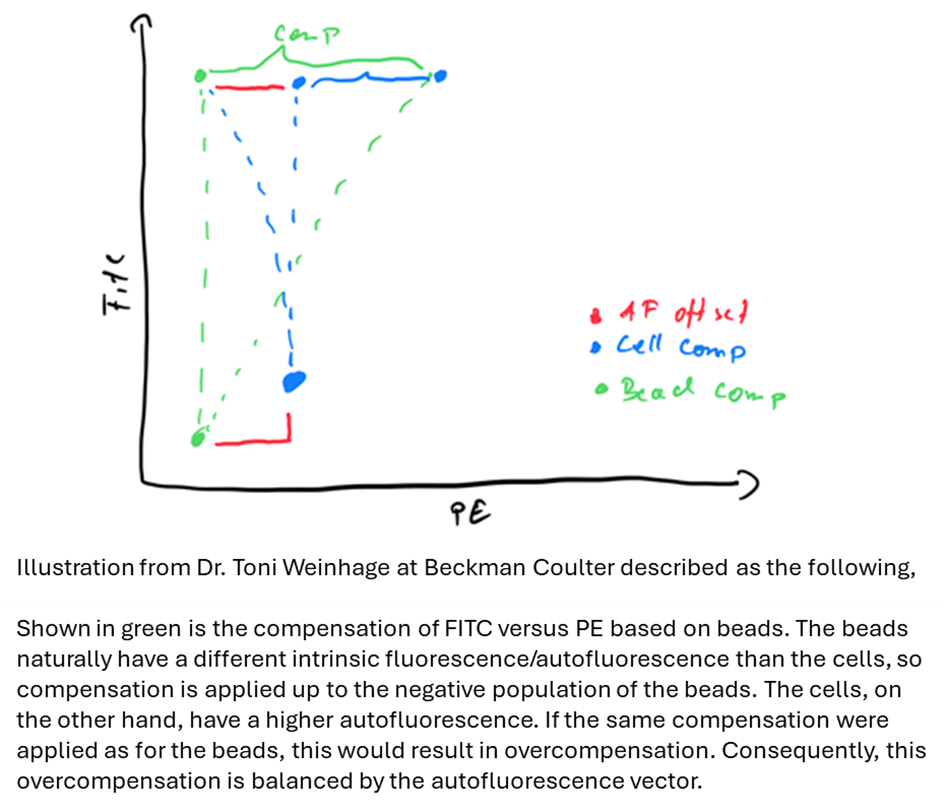
First, it can correct for autofluorescent difference between beads and cells when it comes to compensation, correcting for the drifting negative population between much more autofluorescence cells compared to beads. Ideally indicating single stains with beads should not have an increased influence on full stain cells due to the autofluorescence.
|
Secondly, this tool is necessary within the CytoFLEX due to it’s APD detectors and linear compensation algorithm, as its able to adjust the gains at later points in an experiment.
|
|
For example, you run an experiment one day. Later, you duplicate that experiment and then increase or decrease the gains, the machine will calculate a new compensation matrix without the necessity of running new single stains. This vector is tied to the compensation matrix when you save your single stains to the compensation library and allows for the negative population to be adjusted in future experiments fitting this new gain setting.
|
|
|
|
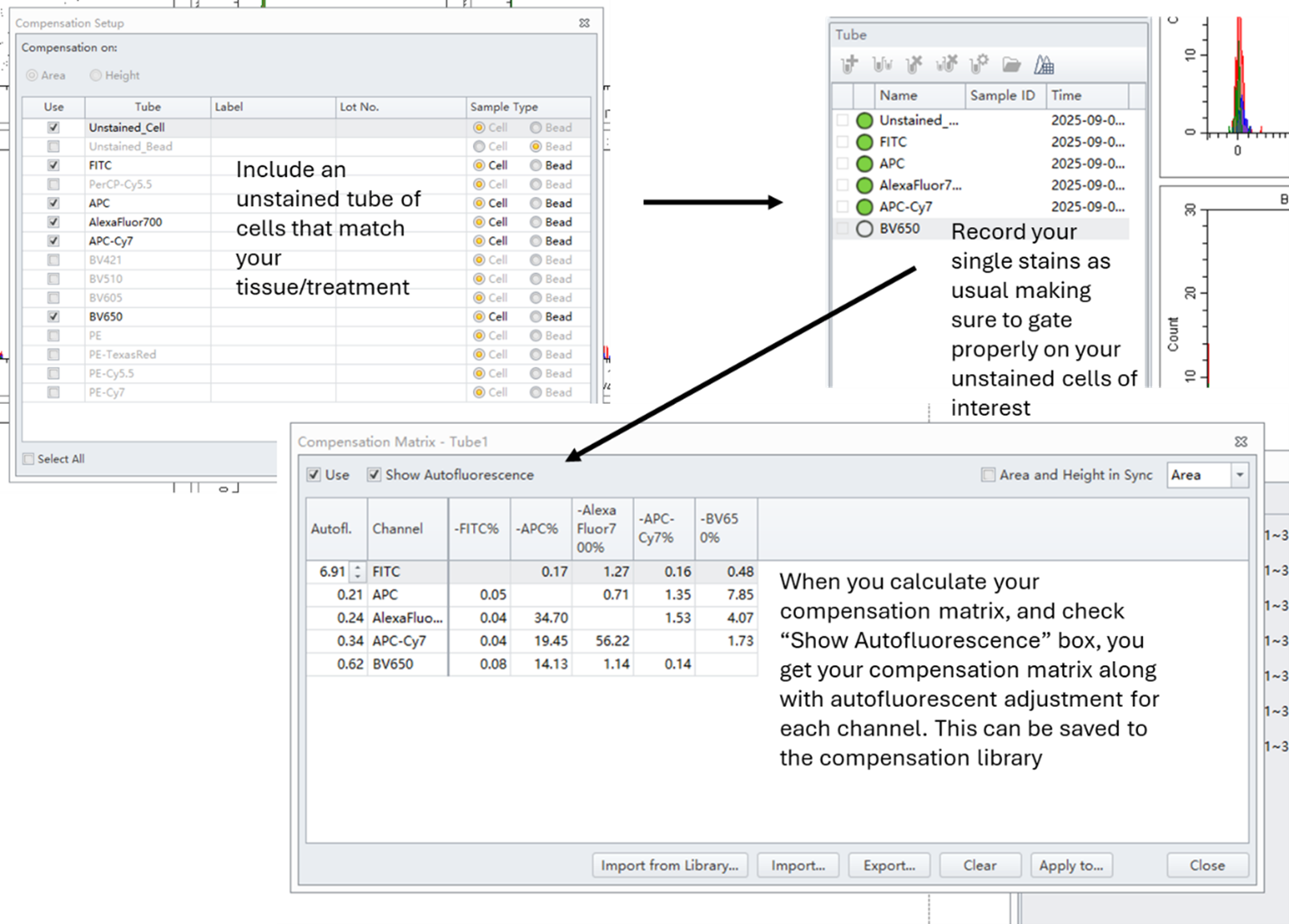
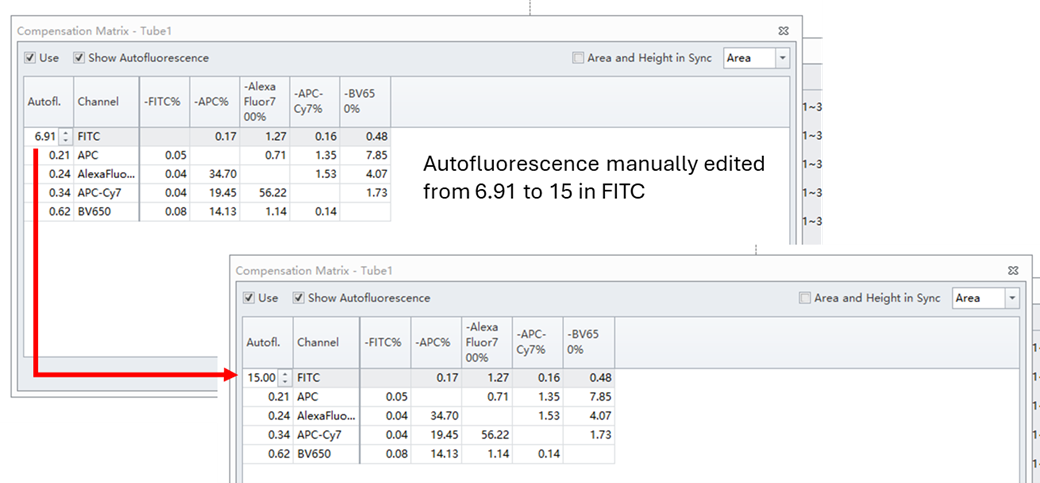
To get the autofluorescence vector on the CytoFLEX, it is necessary to have an unstained tube of the sample/tissue type you intend to analyze. This sample has to be labeled as Unstained as well, this way the software knows that this signal will be autofluorescence. When performing the autocompensation, the gated unstained negative is used to calculate the autofluorescence vector.
|
|
|
|
You can also edit the subtraction values manually. However, adjustments are subjective and should only be made with a clear rationale.
|
|
|
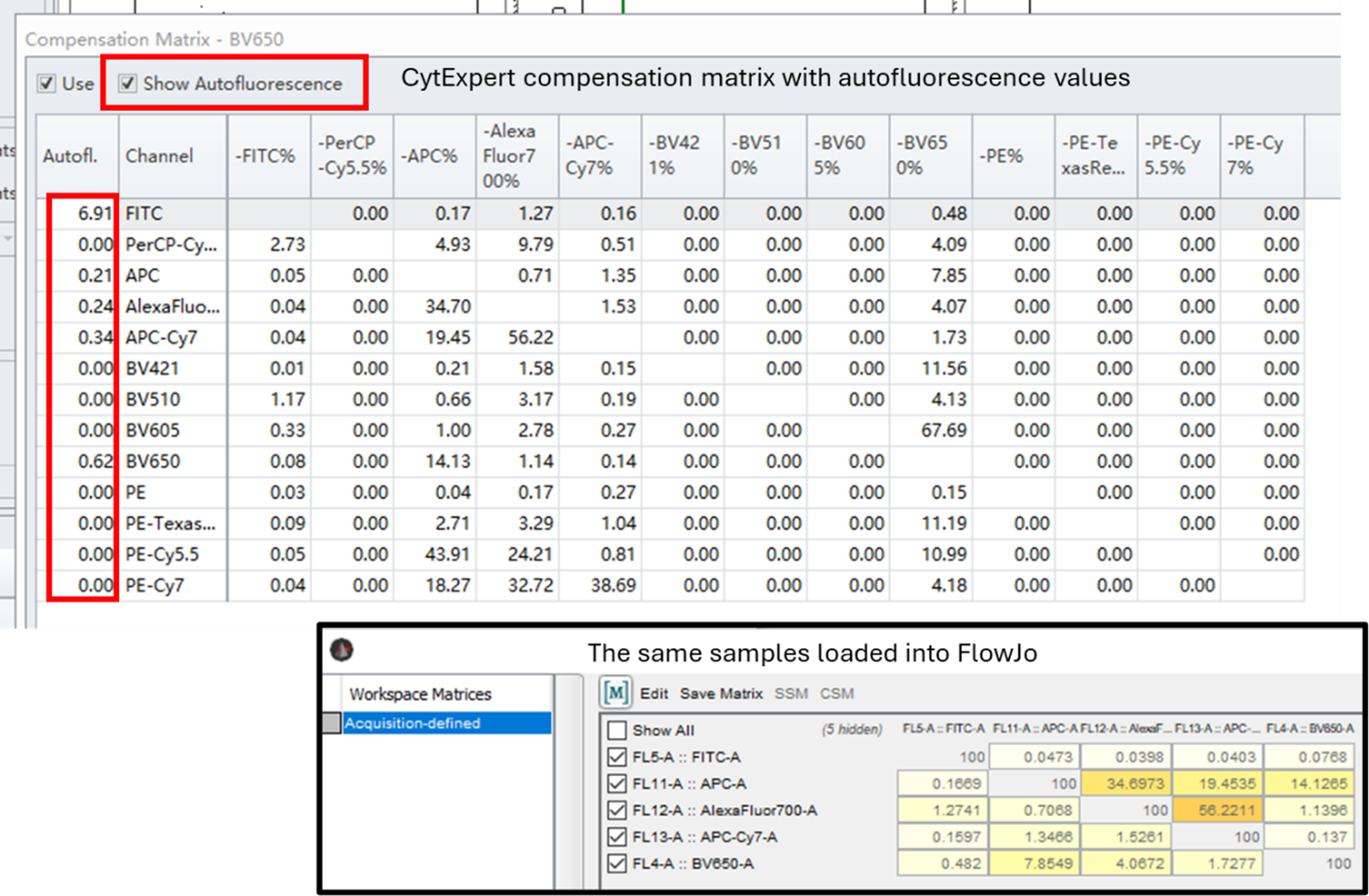
Above we can see the compensation matrix for a simple test panel along with the autofluorescent vector values down the first column in CytExpert software. Interestingly, when exporting into FlowJo, the compensation matrix doesn’t explicitly list autofluorescence as a parameter, but all other compensation values remain the same. It’s unclear whether the subtraction is permanently embedded in the data or only applied within CytExpert. I’ve asked for more clarification on this, but at the moment my main understanding is that this autofluorescent vector exists only to help real time gain adjustments in CytExpert, and not as a more global autofluorescence extraction tool.
|
Unlike spectral machines, this method doesn’t remove autofluorescence at a cell-by-cell or population-specific level. Instead, it applies a global average subtraction. This works well for relatively homogeneous autofluorescence, but is less effective for heterogeneous samples where multiple extractions may be required.
|
On other conventional instruments like the Fortessa, autofluorescence extraction can be done by intentionally leaving a channel open, for example BV510, which often has high autofluorescence, and then treating it as a fluorophore with compensation algorithms such as AutoSpill. While effective, this method requires pre-planning, since you must dedicate a channel for autofluorescence instead of a true fluorophore. By contrast, the CytoFLEX handles the process more seamlessly through CytExpert.
|
Even with older instruments, it’s exciting to uncover hidden features that can improve data quality. Gaining a deeper understanding of these capabilities helps us make smarter research decisions. If you’re working with challenging autofluorescence and want guidance on which instrument is best for your experiment, don’t hesitate to reach out to the FCF team.
|
|
|
|
|