|
|

|
|
|
|
|
|
|
Facility News
October is here and so is our favorite horror movies and TV shows 👻 ! As a flow cytometrist, we are sadly often scared at work when one of our users has the most evil and insidious autofluorescent sample 👿 or when we have to face single color controls done on a fifth of a drop of control beads, how dreadful 😱 ! Still, we will face our demons and monsters to always bring you the best of flow !
|
As a side note, if you were to dress up as a flow cytometry halloween costume, what would be your pick ? I would personally love to be PE with multiple Cy7 attached on me and shine through the night ✨ ! Let me know your choice by replying to this email !
|
This month in FACS Tips, Kevin is exploring a new tool that helps deal with those previously mentioned evil autofluorescence. Please take the time to read it and win that battle !
|
|
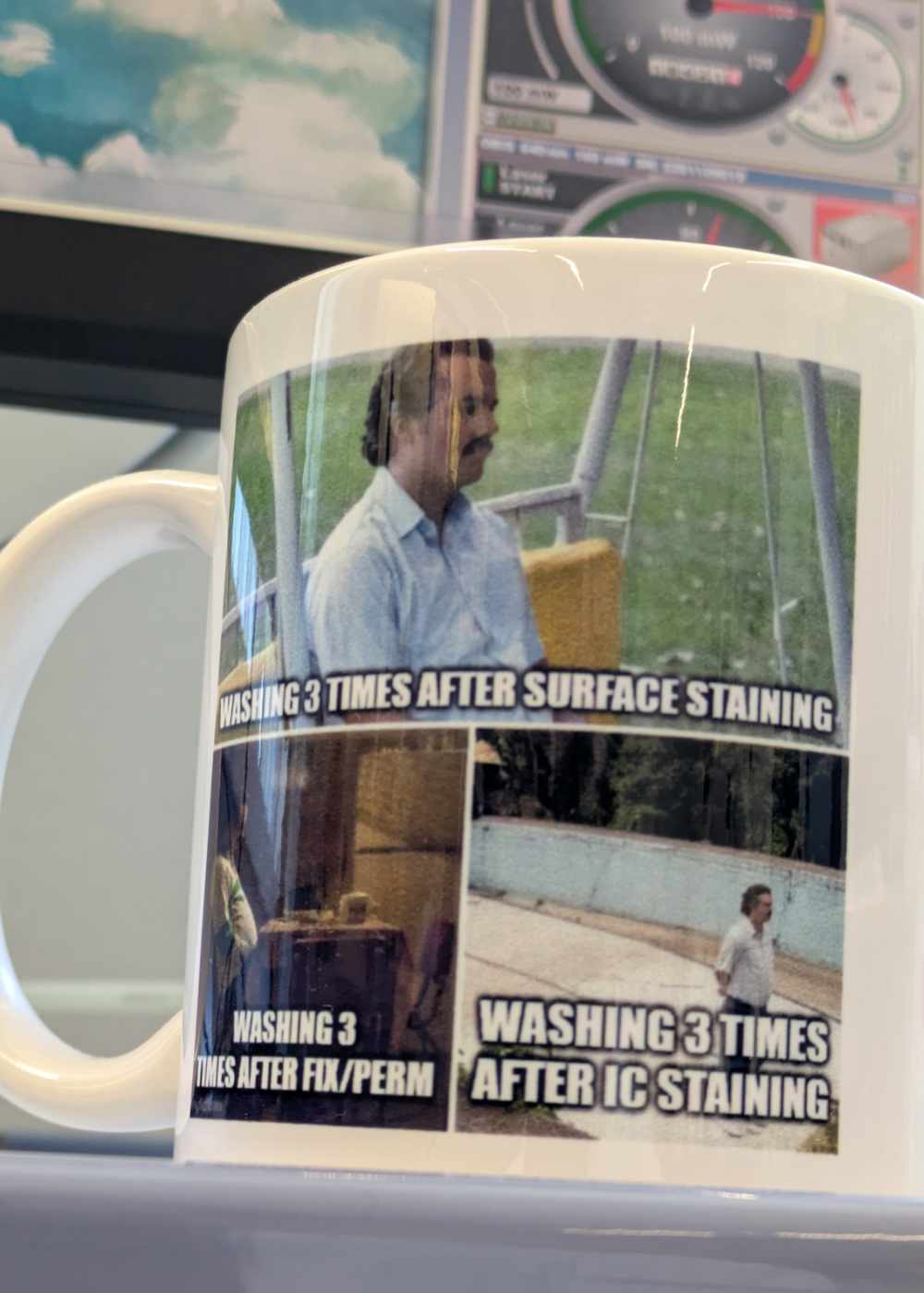
Louis Stavart won the mug of the month below, congratulations to you ! Please come by to our office at the SE-C Biopole to pick it up !
|
|
|
Please try to answer our quiz it and get a chance to win our next mug of the month ! Good luck to you all !
|
|
|
|
|
|
FACS Tips
|
Bee-spoke Unmixing with Honeychrome
|
One of my favourite sources for this newsletter is Colibri Cytometry, and I've drawn from that well more than once over the years. This time they've built a super useful tool for anyone whose unmixing keeps getting wrecked by autofluorescence. If you work with complex samples (lung, liver, etc.) and get the sense that no amount of tweaking or changing your single stains fixes the problem, they may have developed a solution for you.
|
First, some background. A few years ago a tool called AutoSpill came out. It’s available as a FlowJo v10 plugin and automates compensation for your conventional flow data. Rather than you drawing the positive and negative gates on your single stains, it does an automated calculation that was shown to give more accurate compensation than a hand-gated approach, especially when the positive signal is weak. It can also extract autofluorescence from your conventional data, say from the Fortessa. More information about AutoSpill here.
|
Useful as it is, AutoSpill probably wasn’t in huge demand here, since typically conventional panels aren’t so complex enough to get added benefit from it. Spectral data is a different story.
|
Enter Oliver Burton, one of the AutoSpill authors and the writer behind Colibri Cytometry. He and his team developed AutoSpectral, which takes the same principles as AutoSpill and applies them to spectral data. Its key advantages are per-cell autofluorescence extraction, which means fewer unmixing-dependent spread errors, and per-cell fluorophore signature optimization, which should produce fewer unmixing errors.
|
What this means is that no two cells look quite the same spectrally. Autofluorescence varies between cell types, and even the same fluorophore can show subtle spectral differences from one cell to the next. So rather than applying one reference spectrum to every cell, AutoSpectral builds a collection of spectra from your own controls, for both the autofluorescence and the fluorophores, and picks the best fit for each cell. It only uses variation it actually sees in your controls, so it's not inventing new spectra.
|
|
It’s also “autofluorescence-aware”, so it’s better at identifying fluorophore signatures in complex samples. And while it has been available now for over a year, the problem was it was only usable through R, which can create barriers for many of us, myself included.
|
|
|
|
|
|
|
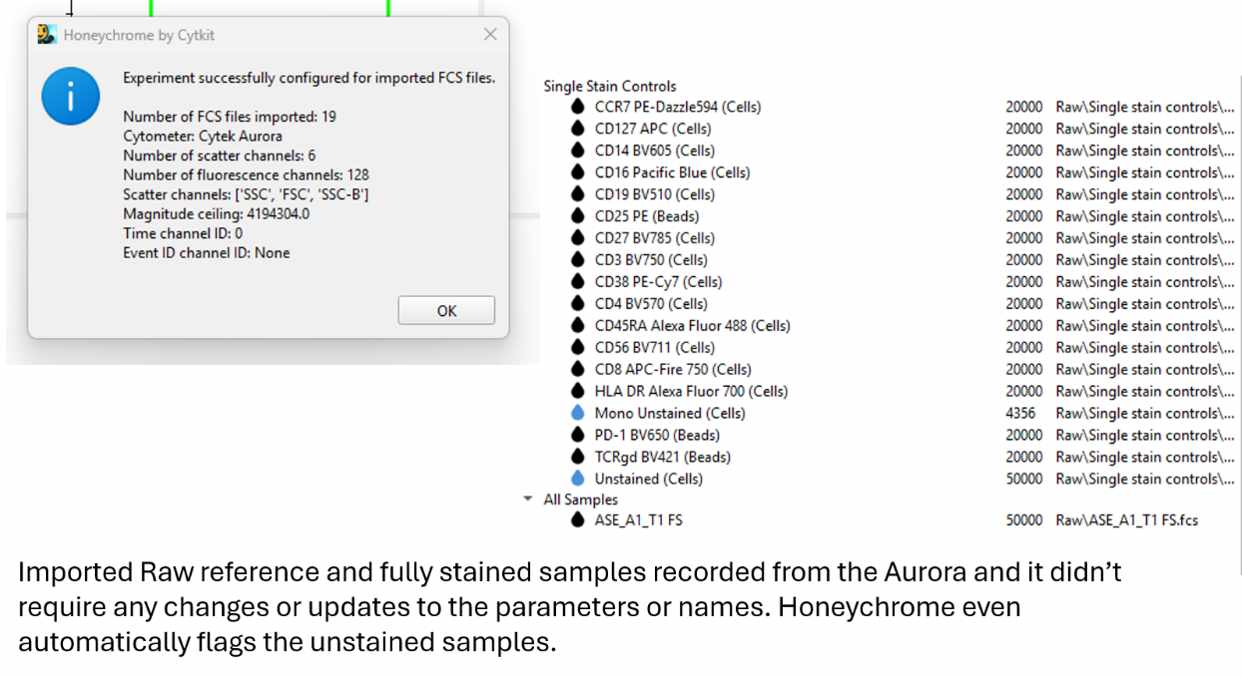
They’ve even written a great step-by-step guide to loading your reference controls and samples and running your unmixing. For experiments done on the Aurora, you just import your Raw files and follow along with the guide.
|
|
|
|
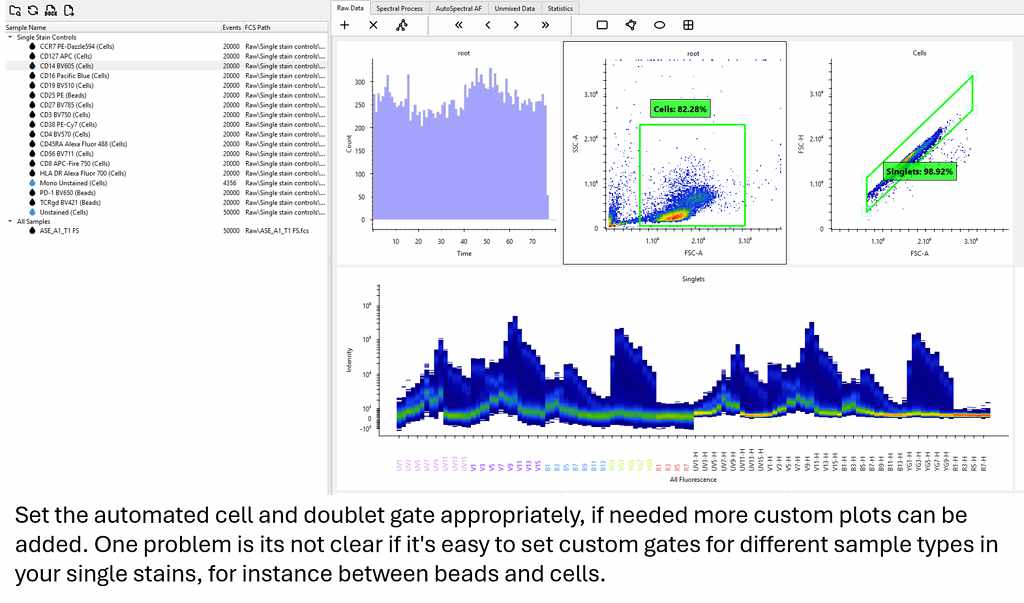
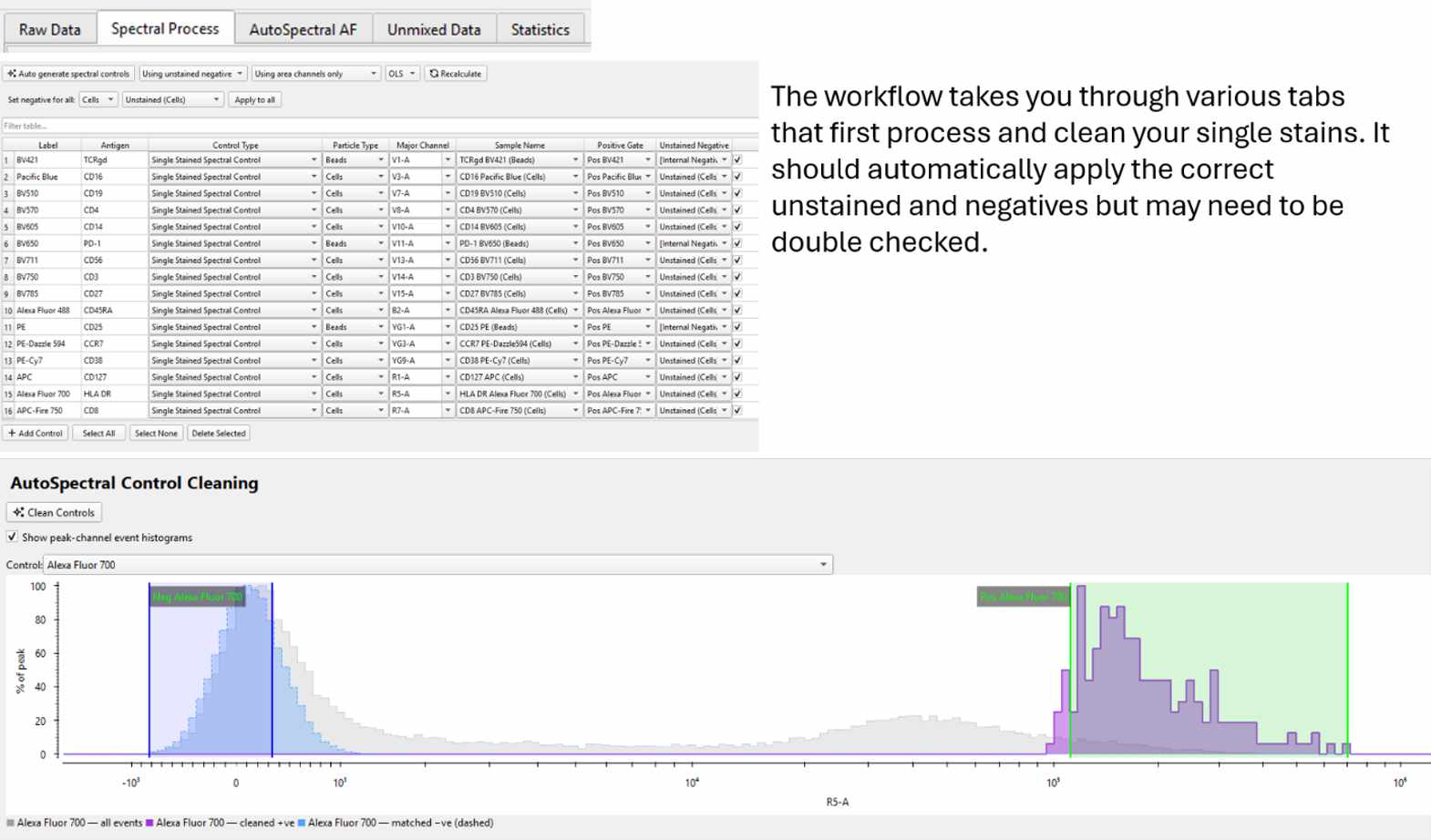
Although maybe slightly intimidating at first if you’re only used to working in FlowJo, I found the analysis process quite straightforward. Just make sure your cell gate and doublet exclusion is correct, and then you just work through the tabs and follow the instructions.
|
|
|
|
First, the software runs what it calls the Spectral Process, cleaning and isolating each of your reference controls and applying the negatives (either the unstained or the internal negative for beads). Check that this has been done properly; you have the opportunity to make corrections if not. Once the Spectral Process and AutoSpectral Control Cleaning are done, you can view how each reference was gated, as well as the HotSpot, Similarity and Unmixing matrices if you’re interested.
|
|
|
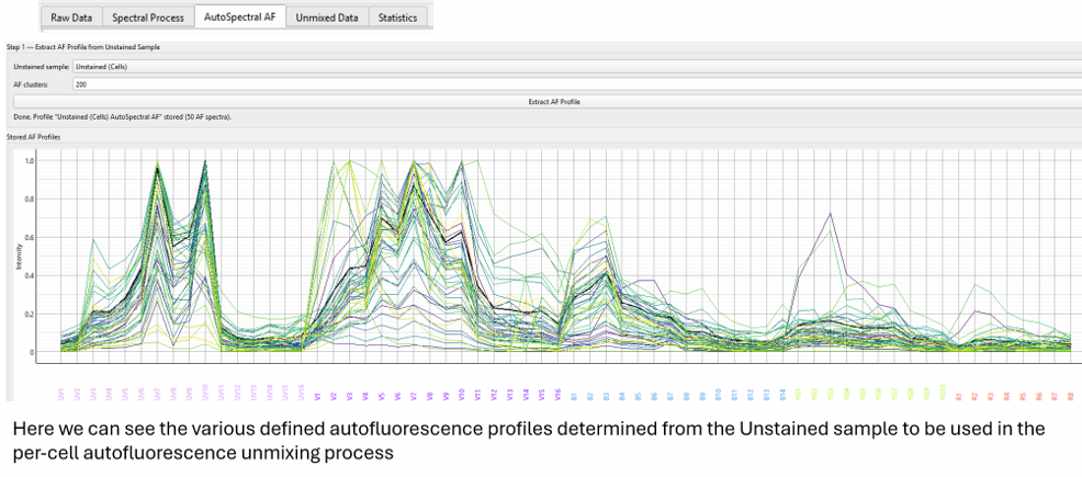
Next comes the AutoSpectral AF calculation, which automatically characterizes the autofluorescence spectrum to be subtracted on a per-cell basis. Run it once if you only have one unstained tissue type, or for each tissue type, then apply each result to the samples of the matching tissue. The process is fully automated, so unlike the Autofluorescence Explorer in SpectroFlo (for those familiar with the Aurora), there’s no troubleshooting different detectors to resolve populations.
|
|
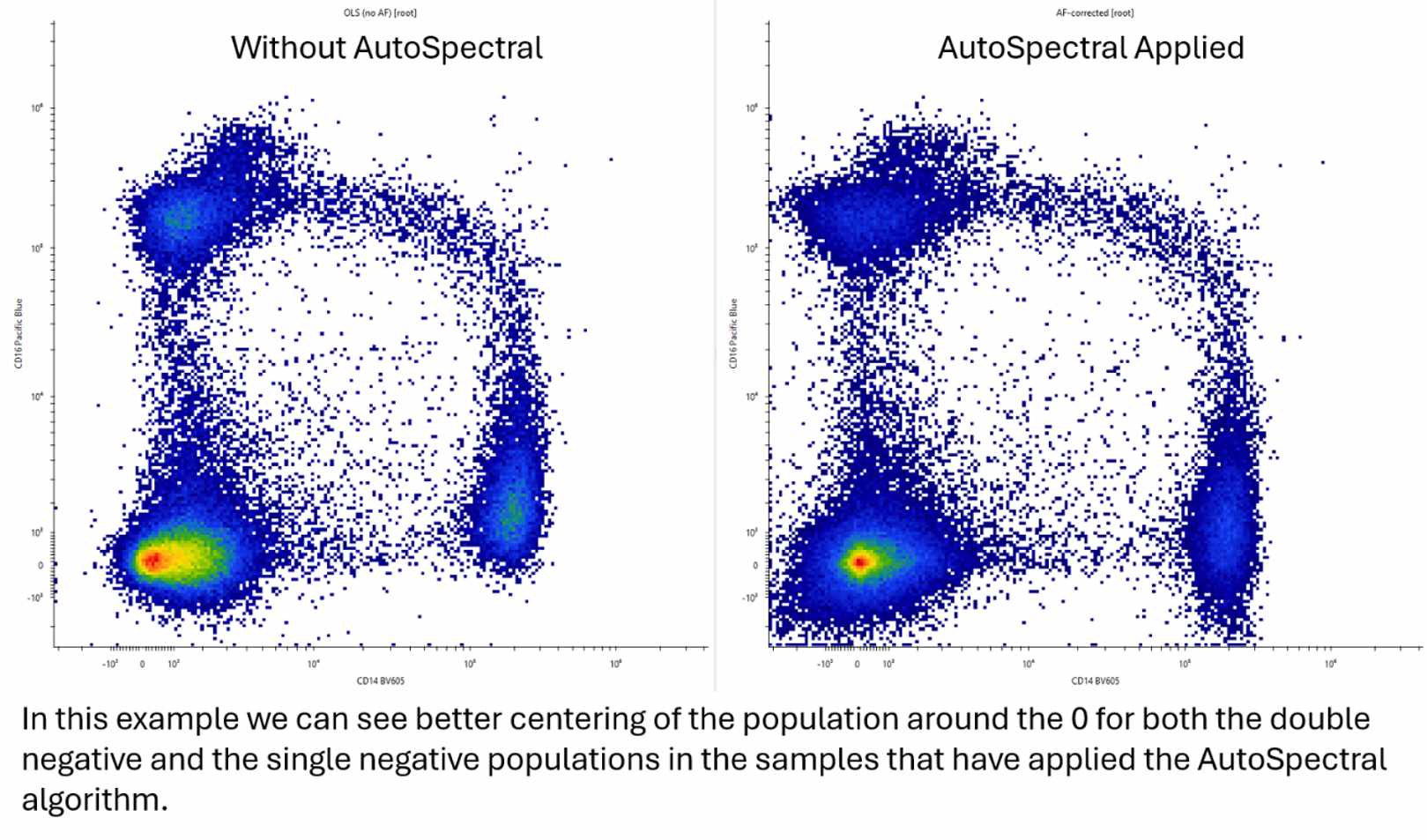
At this point, you can evaluate the unmixing, with and without the AutoSpectral subtraction tool.
|
|
|
The example above isn’t the best showcase, as this sample has little autofluorescence to begin with, but you can still see that the plot on the right, with AutoSpectral applied, has better placement of the negative around 0 in the CD16 Pacific Blue vs CD14 BV605 plot. This means better resolution of populations, which is especially helpful with dim/poorly expressed markers.
|
At this point, you could continue to use the Honeychrome application to perform your analysis, and they offer you tutorials for how to do so. Alternatively, you could just export the unmixed fully stained samples and then bring them into FlowJo for analysis there to maintain your normal workflow.
|
Unfortunately, this algorithm can’t perform magic, and if your single stains have problems, it will be unable to fix the unmixing errors they produce. Also true for problems with tandem degradation or other sample stability problems.
|
|
This is quite an exciting tool to try if you’re struggling with your unmixing and suspect a complicated autofluorescence could be the issue. If you want help getting started, come see us in the FCF!
|
|
|
|
|